
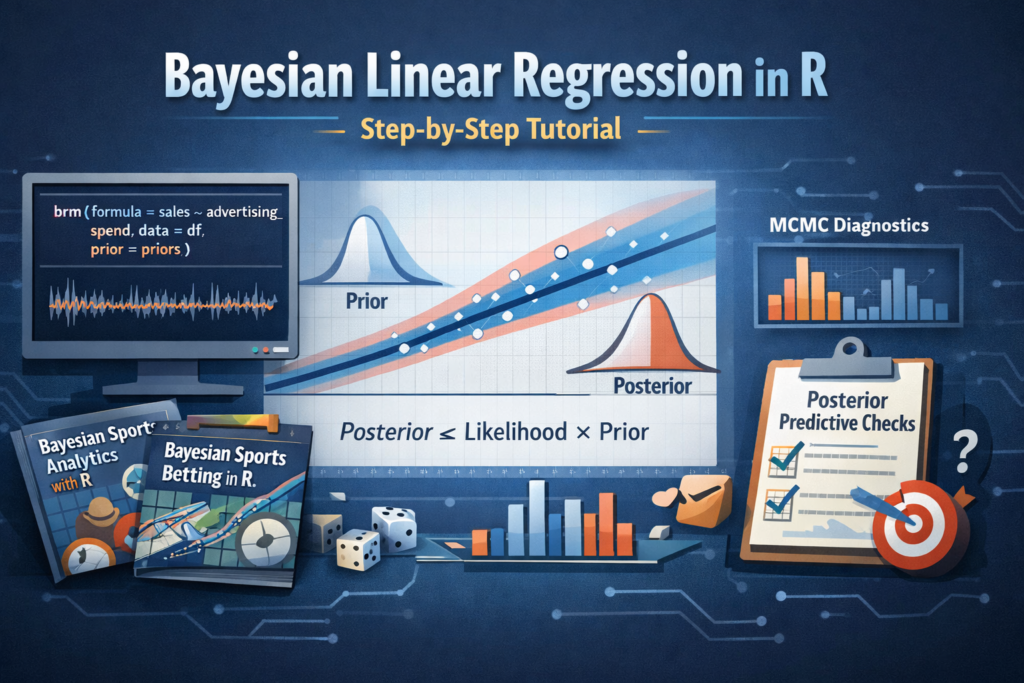
Bayesian linear regression is one of the best ways to learn Bayesian modeling in R because it combines familiar regression ideas with a more realistic treatment of uncertainty. Instead of estimating a single fixed coefficient for each parameter, Bayesian methods estimate full probability distributions. That means we can talk about uncertainty, prior beliefs, posterior updates, and credible intervals in a way that is often more intuitive than classical statistics.
In this tutorial, you will learn how to fit a Bayesian linear regression model in R step by step. We will start with the theory, build a dataset, choose priors, fit a model with brms, inspect posterior distributions, evaluate diagnostics, perform posterior predictive checks, and generate predictions for new observations. We will also look at several R packages that belong to a practical Bayesian workflow.
- How Bayesian linear regression works
- How priors and posteriors differ from classical estimates
- How to fit a model in R using
brms - How to inspect convergence and model quality
- How to use related packages such as
tidybayes,bayesplot, andrstanarm
Why Bayesian Linear Regression Matters
In classical linear regression, the model estimates coefficients such as the intercept and slope as fixed unknown values. In Bayesian regression, those same coefficients are modeled as random variables with prior distributions. Once data is observed, those priors are updated into posterior distributions.
This gives us several advantages:
- We can incorporate prior knowledge into the model
- We get full uncertainty distributions, not just point estimates
- Predictions naturally include uncertainty
- Bayesian methods scale well into multilevel and hierarchical models
- The interpretation of intervals is often more direct
If you are working in predictive analytics, experimental analysis, or sports modeling, this framework is especially useful because it lets you update beliefs as new data arrives.
The Bayesian Formula Behind Linear Regression
A simple linear regression can be written as:
y = β0 + β1x + εWhere:
- y is the response variable
- x is the predictor
- β0 is the intercept
- β1 is the slope
- ε is the error term, typically assumed to be normally distributed
In the Bayesian version, we add priors:
β0 ~ Normal(0, 10)
β1 ~ Normal(0, 5)
σ  ~ Student_t(3, 0, 2.5)
After seeing the data, we compute:
Posterior ∝ Likelihood × PriorThat one line is the core of Bayesian inference.
R Packages You Should Know for Bayesian Regression
Before fitting models, it helps to understand the ecosystem. Bayesian modeling in R is not just about one package. It is usually a workflow involving model fitting, posterior extraction, diagnostics, and visualization.
brms
High-level Bayesian regression modeling with formula syntax similar to lm() and glm().
rstanarm
Bayesian applied regression with an interface that feels familiar to many R users.
tidybayes
Extracts and visualizes posterior draws in a tidy format for easy analysis and plotting.
bayesplot
Useful for trace plots, posterior predictive checks, and MCMC diagnostics.
posterior
Helpful for working with draws, summaries, and posterior diagnostics in a standardized way.
cmdstanr
R interface to CmdStan, useful for users who want more direct Stan workflows and model control.
loo
Widely used for approximate leave-one-out cross-validation and model comparison.
ggplot2
Still essential for custom data exploration and clean visualization of posterior summaries.
Installing the Required Packages
For this tutorial, we will focus on brms for model fitting, while also using a few companion packages for diagnostics and visualization.
install.packages(c(
  "brms",
  "tidyverse",
  "tidybayes",
  "bayesplot",
  "posterior",
  "loo",
  "rstanarm"
))
Then load the packages:
library(brms)
library(tidyverse)
library(tidybayes)
library(bayesplot)
library(posterior)
library(loo)
library(rstanarm)cmdstanr.
For most readers, however, brms is a better starting point because it keeps the syntax concise while still giving access to advanced Bayesian models.
Creating a Simple Dataset
To make the tutorial reproducible, we will simulate a small dataset where one predictor explains a continuous response.
set.seed(123)

n <- 120

advertising_spend <- rnorm(n, mean = 15, sd = 4)

sales <- 20 + 3.5 * advertising_spend + rnorm(n, mean = 0, sd = 8)

df <- data.frame(
  advertising_spend = advertising_spend,
  sales = sales
)

head(df)
In this synthetic example, higher advertising spend tends to increase sales. The true slope used in the simulation is 3.5, but in a real modeling situation we would not know that value ahead of time.
Exploring the Data First
It is always a good idea to inspect the data visually before fitting any Bayesian model.
summary(df)

ggplot(df, aes(x = advertising_spend, y = sales)) +
  geom_point(alpha = 0.7) +
  geom_smooth(method = "lm", se = FALSE) +
  theme_minimal()
This scatterplot helps confirm that the relationship is roughly linear. Even when using Bayesian methods, the basic logic of exploratory data analysis still applies.
A Quick Classical Baseline with lm()
Before fitting the Bayesian model, it is useful to compare it with a standard linear regression.
lm_model <- lm(sales ~ advertising_spend, data = df)
summary(lm_model)
This gives us a baseline estimate for the intercept and slope. Later, we will compare it to Bayesian posterior summaries.
Choosing Priors
Priors are a defining part of Bayesian modeling. A prior reflects what we believe about a parameter before seeing the current data. Priors can be weakly informative, informative, or strongly regularizing depending on the context.
In many practical applications, weakly informative priors are a good default.
priors <- c(
  prior(normal(0, 20), class = "Intercept"),
  prior(normal(0, 10), class = "b"),
  prior(student_t(3, 0, 10), class = "sigma")
)

priors
This prior specification says:
- The intercept is centered around 0 with broad uncertainty
- The slope is also centered around 0 with a wide standard deviation
- The residual standard deviation is positive and given a weakly informative prior
In real projects, priors should reflect domain knowledge whenever possible. For example, in marketing, finance, or sports analytics, prior expectations often come from previous seasons, experiments, or historical model performance.
Fitting the Bayesian Linear Regression Model
Now we can fit the Bayesian model using brm().
bayes_model <- brm(
  formula = sales ~ advertising_spend,
  data = df,
  prior = priors,
  family = gaussian(),
  chains = 4,
  iter = 4000,
  warmup = 2000,
  seed = 123
)
Here is what the most important arguments mean:
chains = 4: run four independent Markov chainsiter = 4000: total iterations per chainwarmup = 2000: burn-in samples used for adaptationfamily = gaussian(): assume a normal likelihood for the response
Reading the Model Summary
summary(bayes_model)The summary output typically reports:
- Posterior mean and standard error for each parameter
- Credible intervals
- R-hat values for convergence
- Effective sample sizes
A good sign is when R-hat values are close to 1.00. That suggests the MCMC chains mixed well and converged.
Understanding the Posterior Output
Suppose the slope posterior is centered near 3.4 with a 95% credible interval from 3.0 to 3.8. In Bayesian terms, that means the model assigns high posterior probability to the slope being in that interval. This is one reason many analysts find Bayesian intervals easier to interpret.
In practical language, we could say:
Extracting Posterior Draws
One of the strengths of Bayesian modeling is that you can work directly with posterior draws.
draws <- as_draws_df(bayes_model)
head(draws)
This lets you explore parameter distributions, uncertainty, and custom probabilities.
mean(draws$b_advertising_spend > 0)The code above estimates the posterior probability that the slope is greater than zero. That is a very natural Bayesian quantity.
Visualizing Posterior Distributions
plot(bayes_model)The default plot gives a quick view of posterior densities and chain behavior. You can also visualize intervals more explicitly:
mcmc_areas(
  as.array(bayes_model),
  pars = c("b_Intercept", "b_advertising_spend", "sigma")
)
This is where bayesplot becomes especially useful.
Checking Convergence with Trace Plots
Trace plots help determine whether the MCMC chains have mixed properly.
mcmc_trace(
  as.array(bayes_model),
  pars = c("b_Intercept", "b_advertising_spend", "sigma")
)
Healthy trace plots should look like fuzzy horizontal bands rather than trending lines or stuck sequences.
Posterior Predictive Checks
Posterior predictive checks are one of the most important parts of a Bayesian workflow. They compare the observed data to data simulated from the fitted model.
pp_check(bayes_model)If the simulated data looks broadly similar to the observed data, that is a sign the model captures the main structure reasonably well.
You can also try more specific checks:
pp_check(bayes_model, type = "dens_overlay")
pp_check(bayes_model, type = "hist")
pp_check(bayes_model, type = "scatter_avg")
Using tidybayes for Tidy Posterior Workflows
The tidybayes package is extremely useful when you want to extract posterior draws into tidy data frames and build custom visualizations with ggplot2.
tidy_draws <- bayes_model %>%
  spread_draws(b_Intercept, b_advertising_spend, sigma)

head(tidy_draws)
For example, you can visualize the slope distribution:
tidy_draws %>%
  ggplot(aes(x = b_advertising_spend)) +
  geom_density(fill = "steelblue", alpha = 0.4) +
  theme_minimal()
This makes posterior analysis much more flexible than relying only on built-in summary output.
Generating Predictions for New Data
One of the biggest reasons to use regression is prediction. Bayesian models make this especially valuable because predictions come with uncertainty intervals.
new_customers <- data.frame(
  advertising_spend = c(10, 15, 20, 25)
)

predict(bayes_model, newdata = new_customers)
You can also generate expected values without residual noise:
fitted(bayes_model, newdata = new_customers)The difference is important:
predict()includes outcome uncertaintyfitted()focuses on the expected mean response
Visualizing the Regression Line with Uncertainty
conditional_effects(bayes_model)This is a quick way to visualize the fitted relationship and credible intervals. It is particularly useful when presenting results to readers who are new to Bayesian modeling.
Comparing the Classical and Bayesian Models
| Aspect | Classical lm() | Bayesian Model |
|---|---|---|
| Parameter estimates | Single point estimate | Full posterior distribution |
| Intervals | Confidence intervals | Credible intervals |
| Prior knowledge | Not included directly | Included through priors |
| Predictions | Often point-centered | Naturally uncertainty-aware |
| Interpretability | Frequentist framework | Probability-based framework |
Alternative Approach with rstanarm
If you want a very approachable alternative to brms, you can fit a similar model with rstanarm.
rstanarm_model <- stan_glm(
  sales ~ advertising_spend,
  data = df,
  family = gaussian(),
  chains = 4,
  iter = 4000,
  seed = 123
)

print(rstanarm_model)
This package is especially attractive for users who want Bayesian estimation with minimal syntax changes from familiar regression workflows.
Model Comparison with loo
For more advanced workflows, model comparison is often done with approximate leave-one-out cross-validation.
loo_result <- loo(bayes_model)
print(loo_result)
This becomes particularly useful when comparing multiple Bayesian models with different predictors or structures.
Common Beginner Mistakes in Bayesian Regression
- Using priors without thinking about the scale of the data
- Ignoring convergence diagnostics such as R-hat and trace plots
- Skipping posterior predictive checks
- Confusing credible intervals with classical confidence intervals
- Treating Bayesian modeling as only a different fitting function rather than a full workflow
When Bayesian Linear Regression Is a Great Choice
Bayesian linear regression is especially useful when:
- You want to express uncertainty directly
- You have prior knowledge from previous studies or historical data
- Your sample size is not huge and regularization helps
- You plan to expand into hierarchical or multilevel models later
- You need probabilistic predictions rather than just fitted coefficients
From Linear Regression to Real-World Prediction
Once you understand Bayesian linear regression, you can move into more realistic applications such as multilevel models, logistic regression, time series forecasting, and domain-specific predictive systems. In practice, many analysts first learn Bayesian methods through regression, then extend them into richer workflows for decision-making and forecasting.
If your interest goes beyond introductory examples and into real prediction workflows, Bayesian methods are especially valuable in sports modeling, where uncertainty, updating, and probabilistic forecasts matter a lot.
- Bayesian Sports Analytics R: Predictive Modeling, Betting, and Performance
- Bayesian Sports Betting with R
Those kinds of projects often build on the same foundations covered here: priors, posterior updating, uncertainty-aware prediction, and iterative model improvement.
Conclusion
Bayesian linear regression in R is one of the best entry points into Bayesian statistics because it combines familiar regression ideas with a much richer treatment of uncertainty. Instead of asking only for a coefficient estimate, you ask for a distribution of plausible values. Instead of pretending uncertainty is secondary, you put it at the center of the analysis.
In this tutorial, we covered the full process:
- Building a dataset
- Understanding priors
- Fitting a model with
brms - Inspecting posterior summaries
- Checking convergence and fit
- Generating predictions
- Using additional packages from the Bayesian R ecosystem
Once you are comfortable with these steps, the next natural move is to explore Bayesian logistic regression, hierarchical models, and domain-specific forecasting systems.